


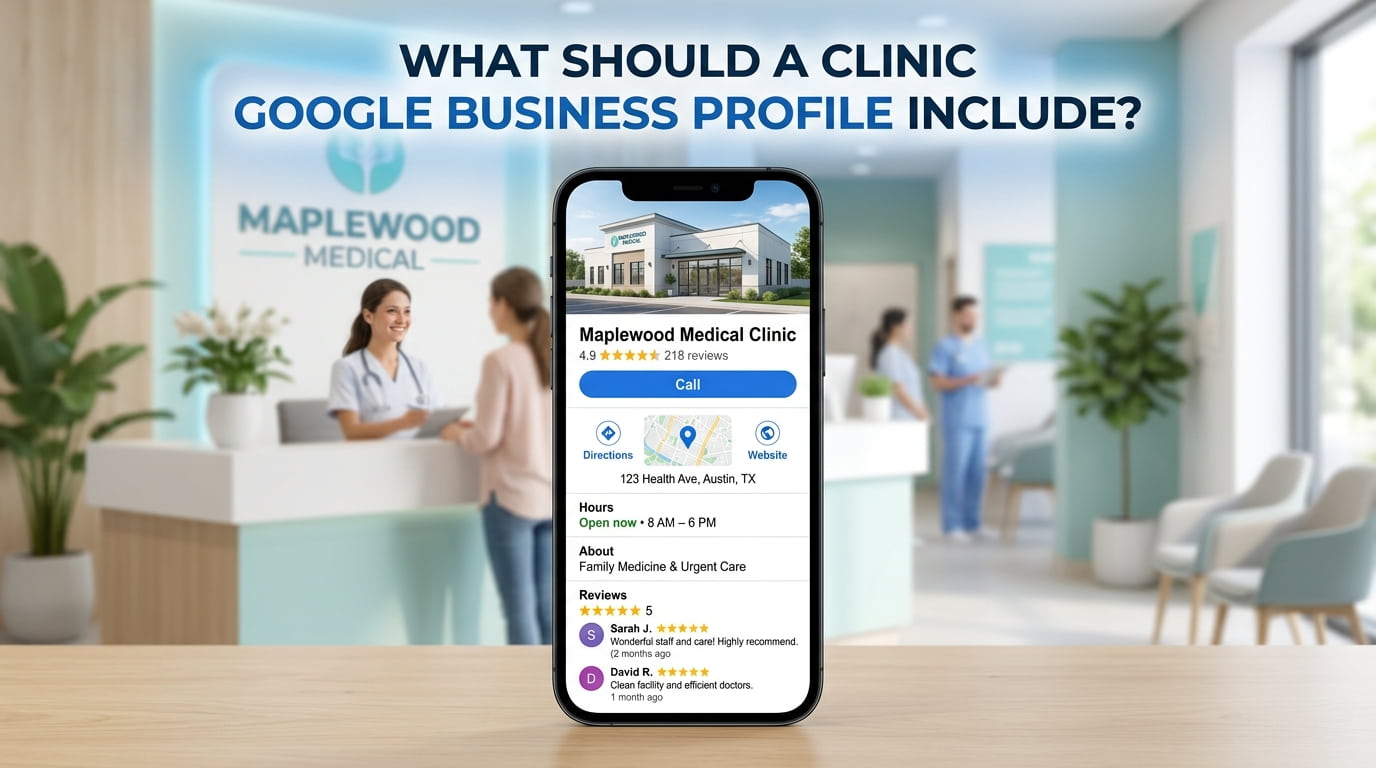
A clinic Google Business Profile should include an accurate business name, suitable category, correct address, opening hours, telephone number and website link. It should also help patients understand which services are available and how to arrange an appointment.
Before adding more content, check the essentials. A wrong map pin or broken booking link can prevent an enquiry even when patients find your profile.
Use the Clinic’s Actual Business Name
Enter the name patients recognise from your signage, website and business communications.
Do not add phrases such as “best medical clinic” or a list of treatments simply to target searches. Your profile name should identify the business clearly.
If your clinic has changed its name, review the website and relevant listings so patients do not encounter conflicting information.
Choose Categories That Match Your Services
Select the available primary category that most accurately describes the clinic. Add secondary categories only where they genuinely reflect what the business provides.
For example, a specialist dermatology clinic should check whether a suitable specialist category is available rather than automatically choosing a broad category.
Category options can vary. Review the choices inside your account and select the closest accurate match.
Check the Address and Map Pin
Patients should be able to reach the correct premises using your profile.
Check:
- Building number and street name.
- Suite, floor or unit details where relevant.
- Town or city and postcode.
- Map pin position.
- Whether directions lead to the patient entrance.
A clinic inside a larger medical building may need entrance photographs and clear arrival instructions on its website. These details are particularly useful where the entrance is on a different street from the postal address.
Use the genuine clinic location. Do not list an address where patients cannot receive the advertised service.
Keep Opening Hours Current
Show the hours patients can visit or contact the clinic, as appropriate to its operation. Update special hours for bank holidays and temporary changes.
If consultations are by appointment, explain this clearly. Avoid implying that patients can walk in whenever reception is open.
Keep website information consistent with the profile. If telephone availability differs from consultation hours, explain the difference on your contact page.
Google recommends maintaining complete business information and accurate regular and special opening hours. support.google.com
Add a Working Telephone Number
Use a number that reaches the team responsible for enquiries.
Test it from the published profile and confirm that reception can handle questions about the services listed. If several branches share a central booking number, ensure callers can identify the location they need.
Your website should make the same contact route easy to find.
Link to the Correct Website and Booking Page
The website link should help patients assess the clinic. For a business with several locations, a relevant branch page may be more useful than a homepage that provides little location information.
Where an appointment-link option is available, link directly to the correct booking or appointment-request page.
Check the experience on a mobile phone:
- Open the link.
- Find the relevant service.
- Check the location and practitioner information.
- Complete the booking or enquiry process.
- Confirm that the next step is explained clearly.
If the form only requests an appointment, label it accordingly. Do not imply that submission confirms a booking.
Write a Clear Clinic Description
Describe what the clinic does, who it serves and where it operates. Use plain language and mention genuine services without turning the description into a keyword list.
For example:
Our private clinic in [Town] provides [confirmed services] through a team of [accurate professional roles]. Consultations are available by appointment. Visit our website for clinician information, service details and booking arrangements.
Replace the brackets with verified business information.
Avoid unsupported claims about being the leading clinic, guaranteed treatment outcomes or qualifications the team does not hold.
List Services Patients Can Actually Book
Where service fields are available, add the consultations, treatments or diagnostic services genuinely offered at that location.
Use names patients can understand. A brief explanation may help distinguish an initial consultation from a follow-up appointment.
Before publishing, confirm:
- The service is currently available.
- It is provided at the listed branch.
- Any displayed price is accurate.
- The description matches the website.
- Clinical wording has appropriate approval.
If your profile promotes a service but the website barely explains it, improve the relevant page. Our SEO support for medical clinics can help align profile information with useful service and location pages.
Upload Current Clinic Photographs
Useful photographs help patients recognise the premises and understand what to expect.
Consider including:
| Photograph | Why it is useful |
|---|---|
| Exterior and signage | Helps patients identify the building |
| Patient entrance | Clarifies where to enter |
| Reception | Shows the arrival area |
| Waiting area | Helps patients understand the setting |
| Consultation rooms | Shows facilities where appropriate |
| Team photographs | Introduces staff with their permission |
Avoid showing identifiable patients, appointment screens, medical records or other private information.
Use photographs that accurately represent the clinic rather than stock images that could be mistaken for your premises or team.
Include Relevant Accessibility Information
Review available profile attributes and select only those you can confirm.
Useful website information may include step-free access, lift availability, accessible toilets and parking arrangements. Describe any limitations clearly so patients can plan their visit.
If an important detail cannot be explained in the profile, place it on the clinic’s location page and provide a contact route for questions.
Request Genuine Reviews
Give patients who wish to leave feedback a simple review link or QR code. Ask for an honest account of their experience without suggesting a rating or wording.
Google prohibits offering incentives in exchange for posting, changing or removing reviews. support.google.com
Keep public replies professional and privacy-conscious. Do not confirm someone’s patient status or discuss their consultation, diagnosis or treatment. Invite them to contact the clinic privately when a concern requires investigation.
Keep Each Branch’s Information Separate
For a clinic with several locations, check each eligible profile individually.
A service available at one branch should not automatically appear on every branch profile. The same applies to opening hours, photographs and appointment links.
Maintain a simple record of each location’s details so reception, website editors and profile managers work from the same information.
Clinic Google Business Profile Checklist
| Item | What to verify |
|---|---|
| Business name | Matches the clinic’s genuine name |
| Categories | Accurately describe the business |
| Address | Shows the correct patient-facing location |
| Map pin | Leads patients to the right premises |
| Hours | Reflect current availability and holiday changes |
| Telephone | Reaches the appropriate team |
| Website | Opens the correct, working page |
| Appointment link | Leads to the right booking or enquiry route |
| Description | Explains the clinic accurately |
| Services | Matches what is available at that branch |
| Photographs | Are current, genuine and privacy-conscious |
| Accessibility | Includes confirmed, useful details |
| Reviews | Reflect genuine experiences |
| Profile access | Is held by authorised people |
What Should You Check First?
Start with the address, telephone number, opening hours and booking links. Then review categories, services, photographs and the description.
An accurate Google Business Profile for medical clinics gives patients a clearer route from finding the practice to contacting it. Review the information whenever services, staff arrangements or opening hours change.
For broader support with your practice’s search visibility, explore our medical SEO services.
You may also find useful: Should a Doctor Have a Separate Google Business Profile? · How Should Patient Reviews Support Medical Clinic SEO? · How Can a Medical Clinic Improve Its Local Search Visibility?
Related services: SEO for Pharmacies · SEO for Veterinary Clinics · SEO for Physiotherapy Clinics