


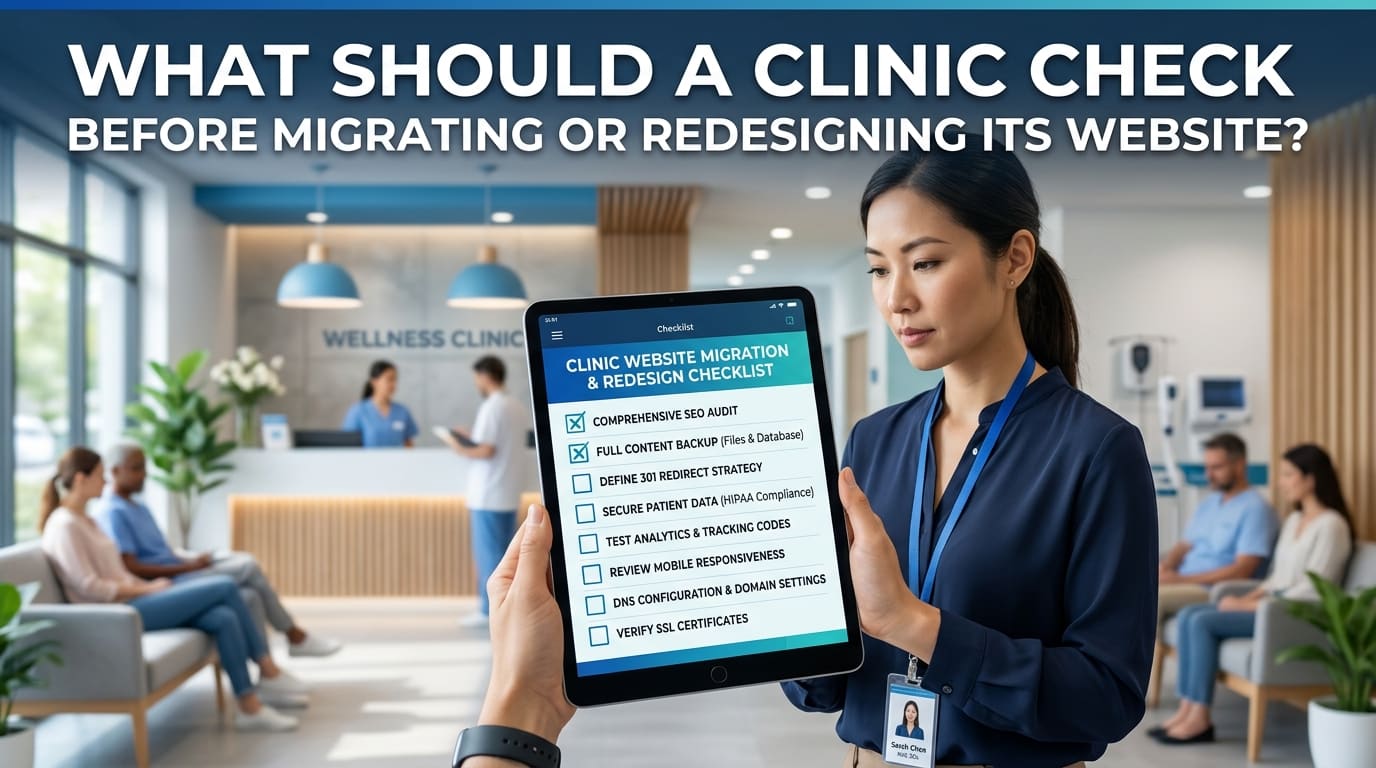
Before migrating or redesigning its website, a clinic should record its existing pages, protect useful content, plan any URL changes and test the patient enquiry process. It should also confirm who will check the website before launch and monitor it afterwards.
This clinic website SEO migration checklist covers the practical checks that help prevent missing service information, broken appointment links and avoidable search visibility problems.
A new design may look better while making important information harder to find. Review the website as both a search destination and a route to arranging an appointment.
Establish What Is Changing
Start by identifying the scope of the project.
| Change | What needs particular attention |
|---|---|
| New design with existing URLs | Content, navigation, mobile usability and forms |
| New hosting provider | Availability, certificates, email and integrations |
| New content management system | URLs, metadata, templates and tracking |
| New page structure | Redirects, internal links and service coverage |
| New domain name | Domain ownership, redirects and external website links |
A redesign does not automatically require new URLs.
Where practical, separate major changes into stages. Google recommends changing one major element at a time during a site move, such as moving domains separately from changing the layout.
Record the Existing Website Before Work Begins
Create an inventory of the current website rather than relying on the navigation menu.
Include:
- Service and consultation pages.
- Clinician profiles.
- Branch and contact pages.
- Articles and patient information.
- Booking and enquiry pages.
- Useful PDFs and downloads.
Record each page’s URL, purpose and proposed treatment: keep, update, merge or remove.
Use Search Console and analytics to identify pages receiving search visibility or visits. Where available, check which pages contribute to genuine enquiries.
A page with little traffic may still be essential. Directions, preparation instructions and referral information can support patients who arrive through another page.
Save a Performance Baseline
Export relevant reports before launch so you have a reference for later comparisons.
Useful records include:
| Baseline | What to save |
|---|---|
| Search performance | Queries, pages, clicks and impressions |
| Website visits | Organic landing pages and relevant traffic sources |
| Enquiries | Recorded submissions and calls, where available |
| Indexing | Status of important public pages |
| Website content | Copies of page text, titles and descriptions |
Record the reporting dates and filters.
Compare equivalent periods after launch. Changes in opening hours, advertising, seasonality or service availability can affect enquiries independently of the migration.
Do not treat every post-launch change as evidence that the redesign caused it.
Protect Important Service and Clinician Information
Check that the new website preserves the information patients need to assess the clinic.
For each main service, verify that it still explains:
- What is available.
- Who provides it.
- Where appointments take place.
- How to arrange an appointment.
- Relevant fees or how to request pricing.
- Referral or preparation requirements, where applicable.
Review clinician names, roles, verified qualifications and appointment locations.
Design changes sometimes replace detailed information with short promotional sections. Before shortening a page, check whether the removed content answers a useful patient question.
Assign an appropriate reviewer to clinical information that changes during the project.
Create a Plan for Changed URLs
If a page’s address changes, record its old URL and its intended replacement.
| Existing URL | Proposed destination | Action |
|---|---|---|
/consultations/private-gp/ | Same URL | Retain |
/our-doctors/dr-example/ | /clinicians/dr-example/ | Redirect to the new profile |
/branch-one-contact/ | /locations/branch-one/ | Redirect to the corresponding location |
| Outdated service with no replacement | None | Review removal and update links |
These are illustrative examples.
Google recommends mapping old URLs to their corresponding new destinations and using server-side permanent redirects. Update internal links, canonical references and sitemap URLs accordingly.
Avoid sending every removed page to the homepage. Someone following an old consultation link should reach the relevant replacement where one exists.
If a service has ended without a replacement, explain the decision within the migration plan rather than inventing an unrelated destination.
Protect the Development Website and Check Launch Settings
Keep the development version separate from the public website. Use access controls appropriate to the project so unfinished pages are not openly available.
Maintain a list of temporary settings that must change at launch.
Check that:
- Public pages do not retain accidental
noindexinstructions. - Crawling settings allow access to intended public content.
- Canonical references do not point to the development domain.
- Navigation and buttons use live website addresses.
- Test banners and placeholder information have been removed.
Google specifically advises reviewing development crawling restrictions and removing temporary noindex rules from pages intended for search after the move.
Keep private systems and development copies protected. Opening public pages for search should not expose internal material.
Test Booking Forms and Email Delivery
A working submit button does not prove that reception receives the enquiry.
Test the complete process using clearly labelled test details:
- Open an important service page.
- Follow its booking or enquiry link.
- Submit the form.
- Check that the submission is recorded where expected.
- Confirm delivery to the responsible team.
- Check any visitor confirmation.
- Review the message explaining what happens next.
Check spam folders as well as inboxes.
Where a third-party booking system is used, confirm that the link opens the correct clinic, service or practitioner.
If the system collects appointment requests rather than confirmed bookings, preserve that distinction in button labels and confirmation messages.
Review the Website on a Mobile Phone
Test the actual pages, not only the designer’s preview.
Can a visitor:
- Read service information comfortably?
- Find the correct branch?
- Use the telephone button?
- Open the booking system?
- Complete a form without layout problems?
- See the next step after submitting?
Check menus, sticky buttons, cookie controls and pop-ups. They should not obstruct important information or prevent form completion.
Ask someone unfamiliar with the website to find a service and request an appointment. Their difficulties can reveal gaps your project team has overlooked.
Confirm Tracking and Account Access
Check that the clinic retains access to its domain, hosting, website administration, Search Console and analytics.
Confirm who is responsible for restoring tracking after the migration.
Verify that relevant events still work, including form submissions and booking-link clicks where these are measured. Check for duplicate tracking caused by installing the same tag through multiple routes.
Keep the meaning of each measurement clear. A booking-link click is not a confirmed appointment.
Use test details and avoid putting patient names, medical details or other sensitive information into analytics event labels or page URLs.
For help coordinating website structure, search checks and measurement, visit Medical SEO Agency.
Agree on Launch Responsibilities and Recovery
Before launch, identify who will:
- Deploy the new website.
- Apply and test redirects.
- Check forms and booking systems.
- Verify public page settings.
- Monitor errors.
- Authorise corrective work.
Keep a usable backup of the existing website and document how recovery would work.
If restoring an older version could overwrite new enquiries or other records, account for that in the recovery plan. A backup is useful only when the team understands what it contains and how to restore it.
Clinic Website SEO Migration Checklist
| Check | Evidence to confirm before launch |
|---|---|
| Project scope | Changes and responsibilities are documented |
| Existing pages | A page inventory has been saved |
| Baseline | Search and enquiry reports have been recorded |
| Content | Important service and clinician details are retained |
| URL changes | Old and new addresses have been mapped |
| Redirects | Changed URLs reach appropriate replacements |
| Internal links | Menus and content links use live destinations |
| Public page settings | No accidental launch restrictions remain |
| Booking | The correct appointment route works |
| Forms | Submissions reach the responsible team |
| Mobile experience | Key patient tasks can be completed |
| Tracking | Intended measurements work without duplication |
| Access | The clinic retains control of essential accounts |
| Recovery | Backup and restoration responsibilities are clear |
Monitor After Launch
Repeat the key checks on the live website immediately after deployment.
Then monitor important URLs, search performance, errors and enquiry delivery over the following weeks. Google notes that significant site moves can cause temporary ranking fluctuations while pages are recrawled and reindexed.
Investigate concrete problems first, such as missing pages, incorrect redirects or failed submissions.
A quiet enquiry period alone does not establish a migration failure. Check traffic, service demand and the contact process together.
Frequently Asked Questions
Should a clinic change all its URLs during a redesign?
Only where there is a useful reason. A visual redesign can often retain existing addresses. If URLs change, document and test the replacements.
Can old service pages be redirected to the homepage?
Use a relevant replacement where one exists. Sending a patient looking for a specific consultation to a general homepage can make the next step harder.
Should the clinic remove low-traffic pages?
Review their purpose before deciding. Some pages support existing patients or explain essential appointment information despite receiving little search traffic.
Can a redesign guarantee better rankings?
No. A redesign can improve clarity and usability, but search performance depends on more than appearance. The migration plan should protect useful information and working patient journeys.
What Should You Check First?
Begin with your important service URLs and the route from finding a consultation to contacting the clinic.
Before approving launch, confirm that those pages remain accessible, their information is accurate and reception receives test enquiries. Then complete the remaining technical and reporting checks.
You may also find useful: What Should a Medical Clinic SEO Audit Review? · Healthcare Website Structure: How to Organise Services, Clinicians and Locations · What Should Be Included in a Medical SEO Handover When a Clinic Changes Providers?
Related services: SEO for Hospitals · Pharma SEO